Daylight Commander

Total Commander for Mac

Total Commander runs on Windows and Android, so on a Mac you either run it inside Windows or switch to a native two-panel file manager. Daylight Commander is a native one, built around the same layout and keys.

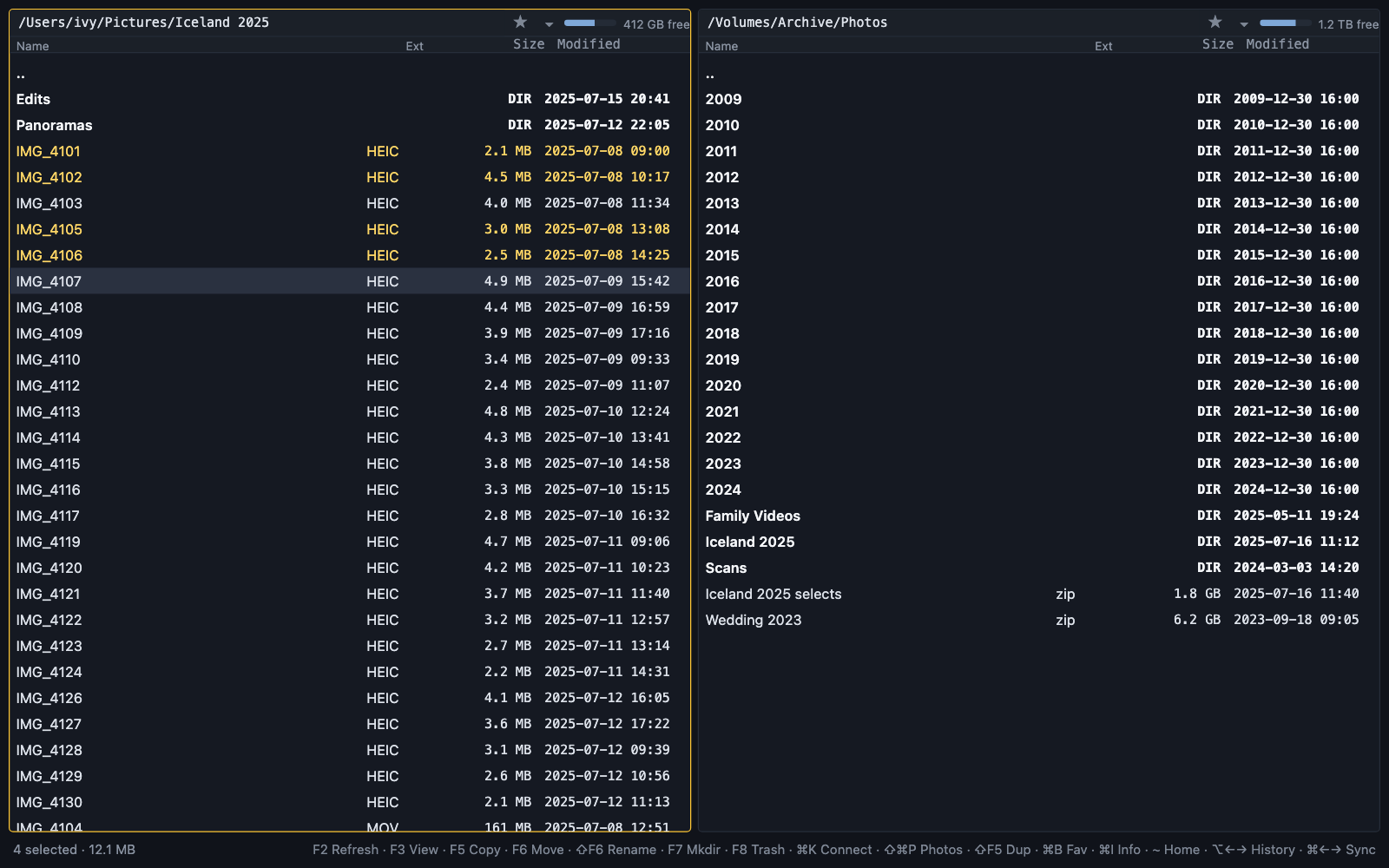
Daylight Commander's two panels, with four photos marked in the left panel and an archive drive in the right

Can you run Total Commander on a Mac?

Not directly. Total Commander's download page lists Windows 95 through Windows 11 and a free Android version, and for Mac users it suggests a Windows emulator such as VMware Fusion, Parallels, or CrossOver. That works, though it means keeping Windows or a compatibility layer around just for your file manager.

A native app skips all of that. Daylight Commander runs on the Mac itself, with Quick Look, Finder's Get Info, and Open With in the right-click menu, and it updates itself.

What carries over

Layout and keys

Two panels and the function keys

F5 copies to the other panel, F6 moves, F7 makes a folder, and F8 deletes, with Space and Shift for marking and Tab between panels.

Selection

Select by pattern

Select or deselect files by name pattern and invert the selection, the way Total Commander's keypad keys do.

Folder sizes

Size every folder at once

Measure every folder in one go as real space on disk, with the largest named, so the next thing to clear is easy to spot.

Archives

Zip files open like folders

Step into a zip, browse it like any other folder, and copy out only the files you need.

Pro

Servers and cloud storage

Amazon S3 and compatible storage, SFTP, FTP, and WebDAV in a panel, plus SMB and NFS shares that reconnect on their own.

Pro

Google Photos, in a panel

Move the largest photos and videos out of a full Google Photos account onto your own drives, each copy checked before the original goes to the trash. How it works.

Price

Daylight Commander is free to download, and the free version is the whole two-panel file manager. Pro adds remote connections and the Google Photos rescue for a one-time $9, covers three Macs, and includes a year of new features that you keep. For comparison, a Total Commander license is EUR 42 plus VAT, for Windows.

Questions

Is there a Mac version of Total Commander?

No. Total Commander runs on Windows, and its developer offers a free Android version. On a Mac you can run the Windows version in Parallels, VMware Fusion, or CrossOver, or use a native two-panel file manager such as Daylight Commander.

Does Daylight Commander use Total Commander's keys?

Yes for the everyday ones: F3 views, F4 edits, F5 copies, F6 moves, F7 makes a folder, F8 deletes, Space marks, and Tab switches panels.

Is Daylight Commander free?

Yes. The free version is the complete two-panel file manager. Pro adds remote connections and the Google Photos rescue for a one-time $9, covers three Macs, and comes with a 30-day trial that starts the first time you use it.

Which Macs does Daylight Commander run on?

Macs with Apple silicon running macOS 13 or later.

Get Daylight Commander

Free to download, for Macs with Apple silicon on macOS 13 or later. It keeps itself up to date.

Need a similar app?

Book a no-pressure intro call to talk through what you have in mind.