Desktop apps

Daylight Commander

A two-panel file manager built for the keyboard, with remote connections and a way to free up a full Google Photos account.

LiveFree to download
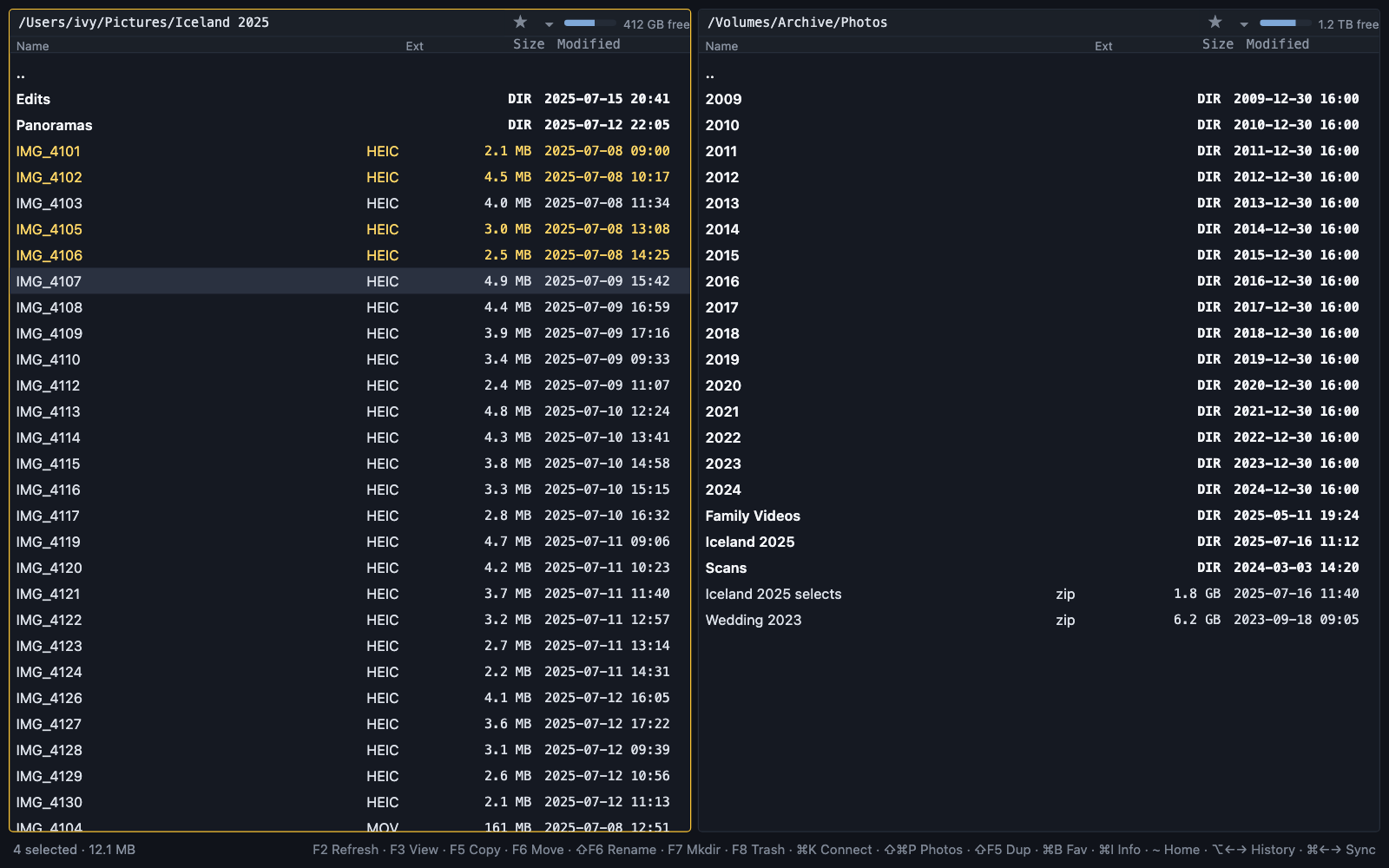
Daylight Commander with a folder of trip photos in the left panel, four of them marked, and an archive drive in the right panel

A modernization of the two-panel file manager, with a Rust-backed interface built for speed, and support for Google Photos.

Mark what you need in one panel, copy or move it into the other, and keep going without reaching for the mouse. The keys follow Total Commander's, so years of habit carry straight over.

The same two panels open your servers and cloud storage, and they can move the largest photos and videos out of a full Google Photos account onto your own drives, checking every copy before its original goes to the trash.

Built and supported by Media Lantern.

Everything you expect from a two-panel file manager

The free version is the whole file manager, with history, favorites, bookmarks, and five themes alongside the tools below.

Transfers

Copies and moves that report as they go

Folders merge instead of replacing each other, an overwrite asks before it happens, and a canceled copy removes only its unfinished file.

Archives

Zip files open like folders

Step into a zip, browse it like any other folder, and copy out only the files you need.

Viewer

See a file without opening another app

The built-in viewer shows text, images, video, PDFs, HTML, and hex, and Quick Look works too.

Folder sizes

Find what is filling your drive

Size every folder at once as real space on disk, with the largest named, so the next thing to clear is easy to spot.

Free up Google Photos storage

Google Photos can show you the largest items in a full library, but copying them somewhere safe before you delete them is left to you. Daylight Commander does both in one pass. It downloads each photo or video through your own signed-in browser, checks the copy on your disk against the original, and only then moves the original to Google Photos' trash, which doesn't count against your storage.

We built it to bring our own library back under its storage limit, and it has cleared about 45 GB so far. Anything in the trash can still be restored for 60 days.

The rescue works with a free companion extension for Chrome, Brave, or Edge, and setup takes about a minute.

Servers and cloud storage in the same panels

Connect to Amazon S3 and compatible storage such as Cloudflare R2, Backblaze B2, DigitalOcean Spaces, Wasabi, and MinIO, or to any SFTP, FTP, or WebDAV server, and copy files between it and the other panel the way you would between two folders. Network shares over SMB and NFS mount as drives and reconnect on their own.

Free, with Pro when you need it

Free

The complete two-panel file manager: transfers, archives, the viewer, folder sizes, history, bookmarks, and themes.

Pro

Everything in Free, plus remote connections and the Google Photos rescue. One license covers three computers.

Try Pro free

Thirty days of Pro, starting the first time you use a Pro feature.

Download

Desktop app

Daylight Commander

For Macs with Apple silicon on macOS 13 or later. It keeps itself up to date.

Download for MacWindows coming soon
Chrome, Brave, or Edge

Google Photos extension

The companion the Google Photos rescue works through.

Help and details

Need a similar app?

Book a no-pressure intro call to talk through what you have in mind.